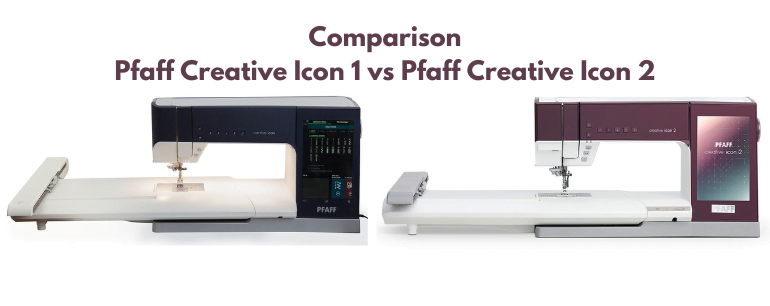
The Pfaff creative icon 2 and creative icon (often called Icon 1) are flagship sewing-and-embroidery machines. People ask what changed and whether the newer model is worth the premium. The Icon 2 is Pfaff’s current top-tier machine in this line, with newer connectivity, projection/camera tools, and accessory support. Official information: pfaff.com. Full feature grid: comparison table.
Brands usually refresh a flagship every several years. The Icon 2’s additions focus on guidance, placement accuracy, voice control, and embroidery workflow rather than reinventing basic IDT feeding and stitch quality that Icon owners already expect.
Artificial intelligence assists
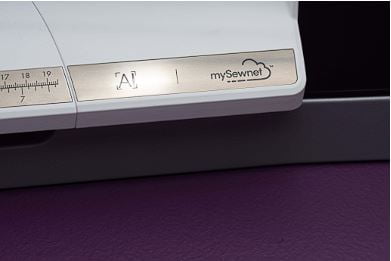
On the Icon 2, on-machine assists can check that the selected foot matches the stitch, warn if a foot is mounted incorrectly, and help keep related settings coherent. Wi-Fi updates can arrive more like phone updates, so features and fixes can improve after purchase. That reduces some setup mistakes. It does not replace learning good sewing habits, and you still need to match needle, thread, and stabilizer to the fabric.
Voice activation
Voice control (via Alexa integration) lets you call up stitches, settings, and tutorials hands-free. You do not need a separate Echo device if you use the Alexa app on a phone or tablet. Useful when your hands are on fabric or hoop. Less useful if you sew in a shared quiet space or dislike voice assistants. Pfaff’s voice control user guide is on the Pfaff site, and the command list is here.
Built-in camera and projector
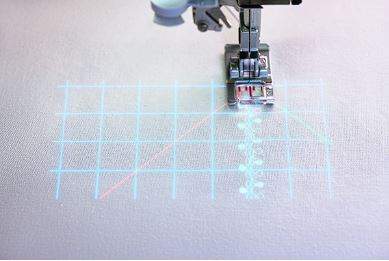
The Icon 2’s camera/projector tools are among the clearest upgrades. You can project a decorative stitch or guideline grid onto the fabric, change angle and projection color for light or dark cloth, and preview embroidery placement before stitching. Scanning fabric in the hoop onto the screen helps with precise positioning, including lining up a new hoop with the last stitch of a previous section. That saves the old “hope the re-hooping matches” routine. Tradeoff: these tools add cost and complexity. If you rarely embroider large multi-hoop designs, you may not use them enough to justify the jump from Icon 1.
Embellishment attachment
The creative icon 2 can take Pfaff’s embellishment attachment for embroidering with beads, yarns, and ribbons. That opens textured embroidery looks that are hard to fake with flat thread alone. It is a specialty accessory path. Great if you want dimensional work. Unnecessary cost if your embroidery stays flat.
Decorative stitches and embroidery designs
Built-in counts move up on the Icon 2: about 806 stitches versus about 781 on Icon 1, and about 873 embroidery designs versus about 812. The added stitches and designs are nice, but they are not the main reason to upgrade if your existing Icon 1 library already covers your style.
mySewnet
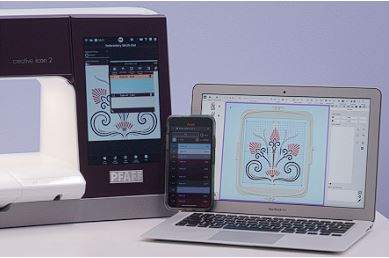
mySewnet remains the online design and project ecosystem for both machines. With a subscription you can browse a large design library on the machine screen (thousands of designs, with ongoing additions). Blog/project inspiration can appear on both Icon 1 and Icon 2. The Icon 2’s newer interface and connectivity make cloud features feel more current, but Icon 1 owners are not locked out of mySewnet entirely.
Embroidery mode improvements
Embroidery mode on the Icon 2 lets you select embroidery thread brands, assign colors you own on a redesigned color wheel, and save designs with that palette so color changes are clearer on screen before you stitch. Small workflow gains matter on multi-color designs. They will not fix poor stabilizer choices or tension issues.
Case and storage
The Icon 2 ships with an updated transport case designed for the machine plus organized accessory storage, including space mapped for Pfaff’s creative accessory line. Useful if you move the machine or keep a large foot/hoop kit. If your machine never leaves a studio cabinet, the case is less decisive.
Additional Icon 2 extras
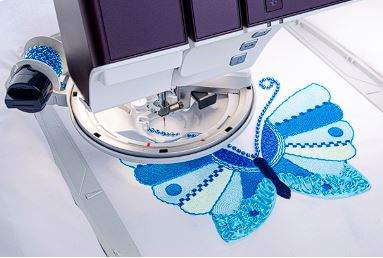
Other Icon 2 updates include clearer labeled icons, clock/stopwatch/alarm tools, a one-touch top opening in the redesigned body, and an extra hoop in the package: the Grand Dream hoop at 360 x 350 mm (about 14.2 x 13.8 in), on top of the other included hoops. The help center also adds more on-machine resources (needle information, accessory guides, and related topics). Soft US pricing for either Icon is premium flagship territory, often well into five figures depending on kit and dealer. Confirm current quotes.
Conclusion
The creative icon 2 is a meaningful upgrade over Icon 1 if you will use projection/camera placement, voice control, AI foot/setting assists, embellishment options, and the newer hoop/case package. If you already own an Icon 1 and mostly sew/embroider within its existing strengths, the jump is harder to justify on stitch count alone. For a first flagship purchase, the Icon 2 is the one to demo if budget allows. For Icon 1 owners, upgrade when placement tools and workflow extras will change how you work, not because the older machine suddenly stopped sewing well.
Comparison table
| Feature | Pfaff Creative Icon 2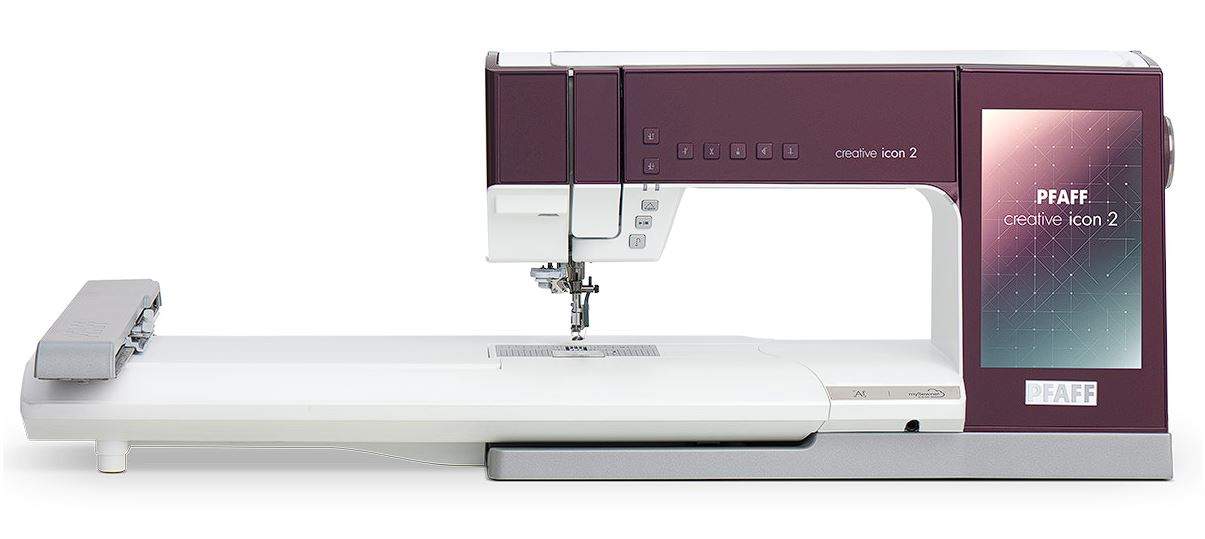 | Pfaff Creative Icon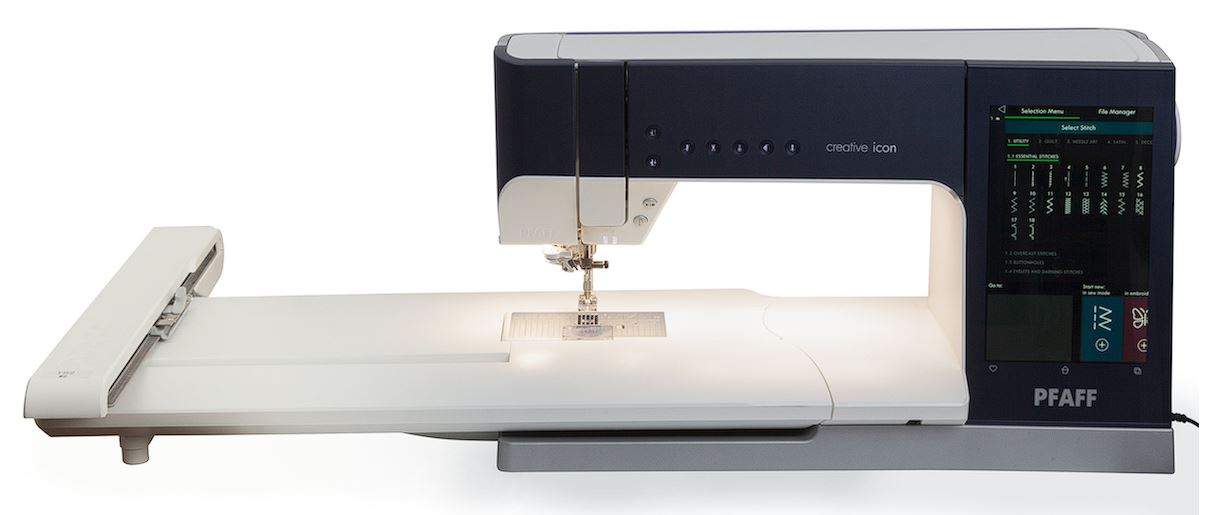 |
|---|---|---|
| Artificial Intelligence Presser Foot Recognition | ✓ | - |
| Voice Control* | ✓ | - |
| Projection in Sewing Mode | ✓ | - |
| Projection in Embroidery Edit Mode | ✓ | - |
| Hoop Scanning - Embroidery Background Loading | ✓ | - |
| creative™ Embellishment Attachment Capability | ✓ | - |
| Number of Stitches | 806 | 781 |
| Number of Designs Built-in | 873 | 812 |
| Extra Stitch Category - Maxi Handlook Embroidery | Over 20 New Stitches | - |
| mySewnet™ Library On Screen | ✓ | - |
| mySewnet™ Blog Viewing Options with Filters | ✓ | - |
| creative™ Grand Dream Hoop (360x350) Included | ✓ | - |
| Needle Guide in Help Center | ✓ | - |
| Accessory Guide in Help Center | ✓ | - |
| Number of Resources in the Help Center | 151 | 109 |
| Setup Guide On-Screen | ✓ | - |
| Color Edit Color Wheel | ✓ | - |
| Select Color Through Thread Brand Color Numbers | ✓ | - |
| Favorite Thread Color Capabilities | ✓ | - |
| Redesigned Angle Selection - Stitch Creator™ | ✓ | - |
| Project Creator Button | ✓ | - |
| Labeled Icons | ✓ | - |
| Clock, Timer, Stopwatch, Alarm Capabilities | ✓ | - |
| One-touch Lid Opening | ✓ | - |
| Limited Edition Machine Colors | 3 | - |
| Demo Mode | ✓ | - |