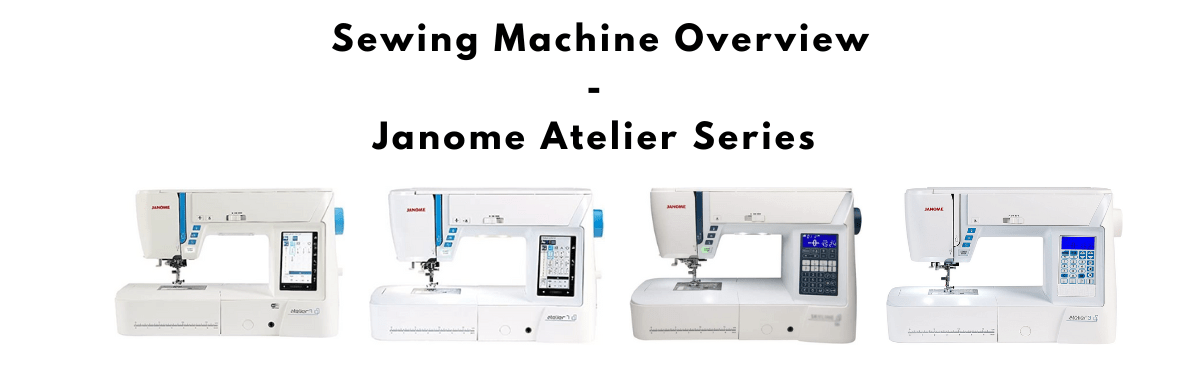
Janome Atelier sewing machines compared (3, 5, 6, 7, 9)
Choosing among the Janome Atelier models is mostly about how much feed technology, screen help, and embroidery you need. In the US these machines are sold as the Skyline series. The lineup runs from everyday computerized sewing (Atelier 3 and 5) up through AcuFeed Flex quilting models (Atelier 6, Atelier 7) and the sewing-and-embroidery Atelier 9. Official Janome information: janome.com.


Key differences across the Atelier range
Each step up adds stitches, buttonhole styles, and convenience features. The biggest practical jumps are AcuFeed Flex feeding (stronger layered/knit control than a standard walking foot alone), color touchscreen controls on the higher models, and embroidery on the Atelier 9. For the full feature grid, use the comparison table below.
Stitch width and fabric handling
The Atelier 3 has a maximum stitch width of about 7 mm (0.28 in) and relies on a walking foot for quilting or stretchy fabrics. That is fine for garments and lighter quilting, but feed control is more accessory-dependent.
From the Atelier 6 up, Janome’s AcuFeed Flex system is the better long-term answer for knits, slippery layers, and quilt sandwiches because the machine drives the upper feed. The Atelier 6 also widens maximum stitch width to about 9 mm (0.35 in) and includes a straight-stitch needle plate, which helps high-speed straight stitching and piecing accuracy. Tradeoff: you pay more and get a larger, more feature-dense machine.
Needle threader, knee lift, and presser foot automation
The Atelier 6 improves threading with a one-action needle threader and adds a knee lift so you can raise the foot while keeping both hands on the fabric. The Atelier 7 (and 9) go further with an electronic/automatic presser foot lift that raises when the needle is down for pivoting. That speeds corner work and applique. If you mostly sew straight seams on stable woven fabric, those extras are nice rather than essential.
Stitch composer and advanced sewing tools
The Atelier 7 adds a stitch composer so you can create and upload custom stitches via the large touchscreen. Higher models also bring tools such as AcuFeed Flex, variable zigzag for free-motion work, and stitch tapering. Those features are not on the Atelier 3 and 5. Foot pressure adjustment on the 7 and 9 helps when fabric thickness changes mid-project.
Sewing and embroidery: where the Atelier 9 stands apart
The Atelier 9 is the combo sewing-and-embroidery machine in the range. Sewing features track closely with the Atelier 7, then add embroidery: roughly 250 built-in embroidery designs, the ability to bring in your own designs, and a maximum embroidery area of about 170 x 200 mm (6.7 x 7.9 in). Built-in Wi-Fi on the 9 makes design transfer and updates easier. Drawback: embroidery adds cost, bulk, and a learning curve you do not need if you only sew.
Stitch and buttonhole counts
Approximate built-in stitch and buttonhole counts climb through the series: Atelier 3 about 120 stitches / 7 buttonholes; Atelier 5 about 170 / 10; Atelier 6 about 196 stitches (see our review for current kit details); Atelier 7 about 240 / 11; Atelier 9 about 300 / 16. More stitches help decorative work. For garment construction, a smaller set is often enough if feed and stitch quality are good.
Touchscreen
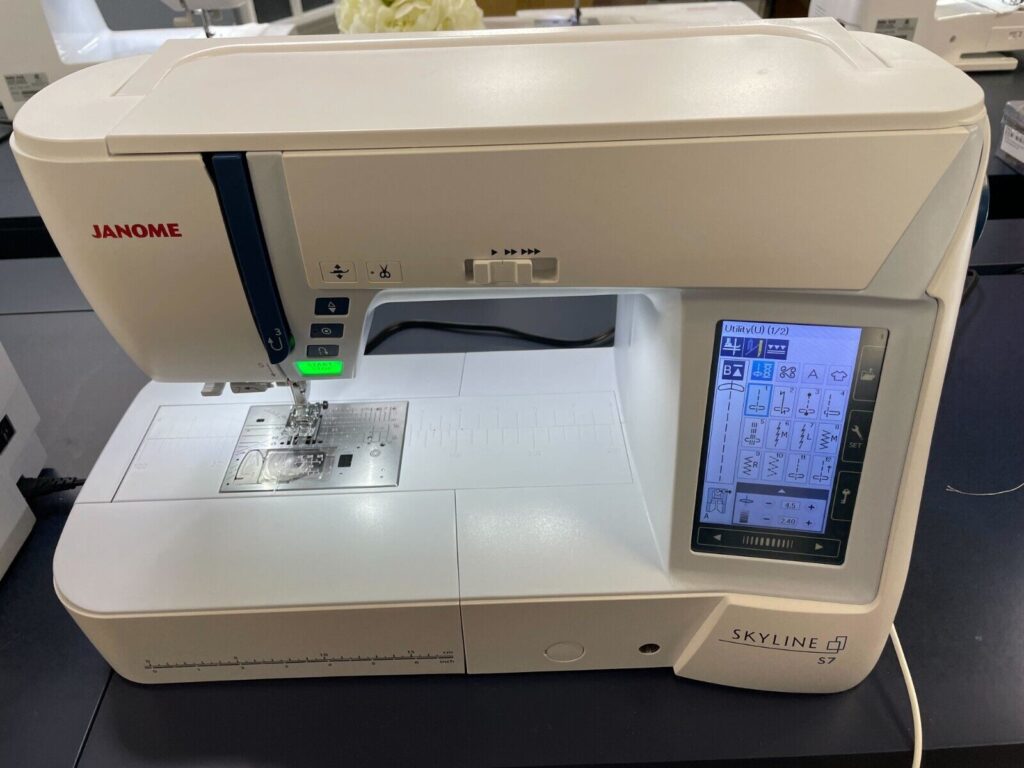
The Atelier 3 and 5 use simpler displays without a color touchscreen. The Atelier 7 and 9 include an LCD color touchscreen, which makes stitch selection, editing, and embroidery navigation faster. If you dislike menus, the lower models stay more button-and-dial friendly.
Which Atelier should you choose?
Choose the Atelier 3 or 5 for solid computerized sewing without paying for AcuFeed or embroidery. Choose the Atelier 6 when layered fabrics and quilting feed matter and you want a strong mid/upper sewing machine. Choose the Atelier 7 if you want the extra automation (electronic foot lift, stitch composer, advanced free-motion tools). Choose the Atelier 9 only if machine embroidery is part of your plan. Soft US pricing typically rises with each step; check current retailer figures in the product boxes above rather than relying on outdated MSRP sheets.
Comparison table
Side-by-side specs for the Atelier 3, 5, 6, 7, and 9: stitches, feeding technology, screens, embroidery, and accessories.
| Model | Atelier 3 | Atelier 5 | Atelier 6 | Atelier 7 | Atelier 9 |
|---|---|---|---|---|---|
| Number of Stitches | 120 | 170 | 196 | 240 | 300 |
| Number of Buttonholes | 7 | 10 | 10 | 11 | 16 |
| Work Space | 8.25″ | 8.25″ | 8.25″ | 8.25″ | 8.25″ |
| Thread Tension | Automatic | Automatic | Automatic | Automatic | Automatic |
| Needle Threader | One-hand | One-hand | One-hand | Built-in advanced | Built-in advanced |
| Easy Set Bobbin | ✓ | ✓ | ✓ | ✓ | ✓ |
| Bobbin Winding Plate with Cutter | ✓ | ✓ | ✓ | ✓ | ✓ |
| Memorized Needle Up/Down | ✓ | ✓ | ✓ | ✓ | ✓ |
| Automatic Presser Foot Lift | x | x | x | ✓ | ✓ |
| One Step Needle Plate Conversion | ✓ | ✓ | ✓ | ✓ | ✓ |
| AcuFeed Flex | x | x | ✓ | ✓ | ✓ |
| Variable Zig Zag for Free Motion Quilting | x | x | x | ✓ | ✓ |
| Stitch Tapering Function | x | x | ✓ | ✓ | ✓ |
| Free Arm | ✓ | ✓ | ✓ | ✓ | ✓ |
| Drop Feed | ✓ | ✓ | ✓ | ✓ | ✓ |
| Start / Stop Button | ✓ | ✓ | ✓ | ✓ | ✓ |
| Speed Control Slider | ✓ | ✓ | ✓ | ✓ | ✓ |
| Automatic Thread Cutter | ✓ | ✓ | ✓ | ✓ | ✓ |
| Adjustable Knee Lift | ✓ | ✓ | ✓ | ✓ | ✓ |
| Foot Pressure Adjustment | x | x | ✓ | ✓ | ✓ |
| Colour Touchscreen | x | x | x | LCD | LCD |
| Maximum Stitch Width | 7mm | 9mm | 9mm | 9mm | 9mm |
| Maximim Stitch Length | 5mm | 5mm | 5mm | 5mm | 5mm |
| Built-in WiFi | x | x | x | x | ✓ |